Timeframe: March 2022 → June 2022
Role: UX Designer
Tools: Figma, Figjam
Connecting people one event at a time.
Imagine a time where you were thrilled to attend an event with a couple close friends. As the date nears, they suddenly cancel on you. You still want to go with someone, but you don't know who else is attending.
We created ERGO, a social event app that connects you with your friends and acquaintances to plan for events together.
Features:
- Help you find events that friends are planning to attend
- Notify you when a friend arrives at an event
- Discover who your friends are going to events with
- Messaging to talk about events or attending together
- Display Map that shows nearby friends currently at particular events
Motivation
ERGO helps people who attend events and struggle to find others to attend with them.
ERGO's goal is to bring people together through social events and location-based services. When people attend large events, they may not know if their friends are attending until they are notified through social media, mutual friends, or even coincidentally running into them. To solve this problem, we created an app that incorporates location-based services and notifications to simplify the process of finding friends who want to attend events.
We conducted a literature review and a survey to see if there was a need for this kind of app.
Literature review
We researched how location-based services function and how many applications utilize location features. We discovered location-based services are often used for recommending users locations close to them. These user recommendations may be applied to various services, like dining, routing, and communication. As technology advances, there is room for location-based services to expand and grow.
Our surveys also provided a lot of insights.
26 out of 28 people already use application or services that utilize user locations for specific features. While many people tend to find location-based services useful, they are wary regarding privacy and safety concerns stemming from them.
In terms of planning and attending events, 19 out of 21 participants enjoyed attending events with friends, yet 16 out of 21 agreed their plans sometimes or often fall through.
Based on this data, we saw an opportunity for a social event application to help users plan events with friends through chat and location-based functionalities.
Design Process
Our design process for ERGO consisted of two parts:
- A rough prototyping session (Session 1)
- A refined prototyping session, conducted with the same participants (Sesson 2)
Session 1:
Prototype Design
We brainstormed the process with Figjam, exploring Figjam functionalities and widgets. It was challenging to decide how to integrate social interactions in an online space without creating an overly complex prototype.
We wanted to simulate the real-world experience of someone attending an event without any prior plans, then finding friends at the event.
To accomplish this, we used many Figjam widgets to try mimicking different ways people communicate in real life.
The first prototype's steps:
- Read the instructions
- Attach your name to the event you'd like to attend
- Navigate to the map of your chosen event
- Roll a dice (Figma widget) to determine their role for the round (such as raver or friendless)
- Act out role with others around you, using chat widgets
We ran two rounds of scenarios so people would get multiple roles to play.
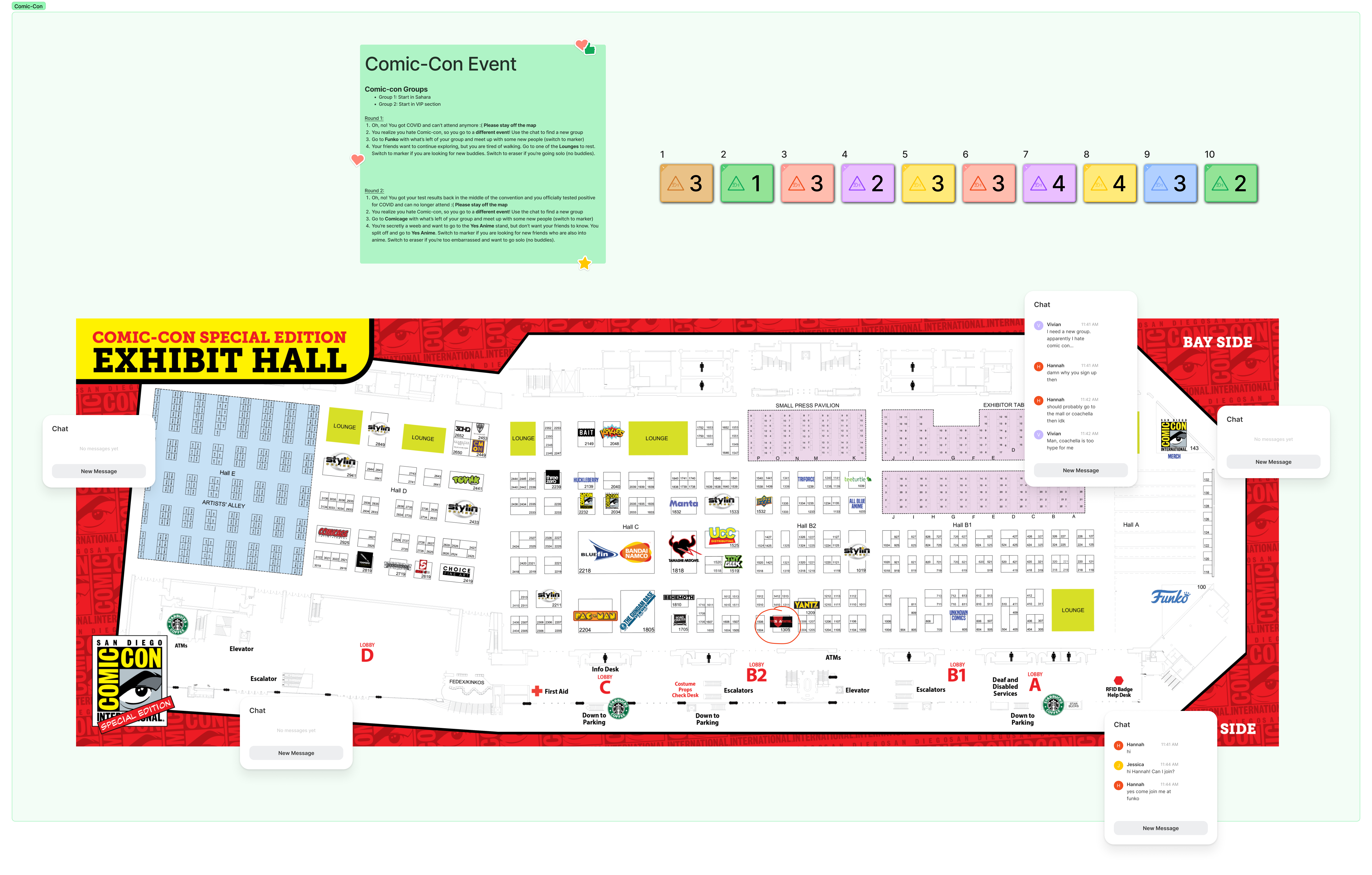
Preview of our first prototyping session, conducted in Figjam.
Results
We received a lot of honest feedback on the challenges participants faced in our first prototype via a post prototype survey.
75% of participants thought our prototype was too confusing; there were too many steps that participants had to quickly understand and do. Our overfamiliarity with the prototype hindered our ability to consider a participant's perspective on the instructions. The steps and roles were complex and confusing. We integrated too many widgets, and people had trouble keeping track of everything.
Furthermore, we did not have a firm grasp on what we wanted our app to look like, so our simulation explanation to the audience was also convoluted. Thus, participants did not have a clear mental model of the experience we were trying to create. All the feedback we received was very helpful and allowed us to iterate and improve our prototype for the next session.
Session 2:
Prototype Design
Based on feedback and analysis of the interactions from our first prototype session, we made drastic changes going into our refined prototype. Before creating our refined prototype, we solidified the app concept.
Each team member discussed their app ideas and what real-world situations it would apply in. After understanding what our app would do, we pivoted from multiple event maps to simple locations within a singular event. To simulate real-world situations, we created a Figma prototype with various situations and texts with two choices. Based on a participant's choices, they would be directed to a particular Figjam link, which represented a different room based on the scenario they selected. Once in the Figjam, participants were to:
- Use a group chat to meet up with weaker-tied friends, and decide where they wanted to meet up together
- Mark their preferred meet-up location.
Results
Our second prototyping session went smoothly and was not overly complex due to major improvements from our previous prototyping session. Participants noted they understood what was being simulated and enjoyed the prototype overall.
The Figma scenarios were better at simulating real-world choices on whether to hang out with friends at a concert. However, one of the scenarios was more popular, so a Figjam room was much more populated than the other three. This made it a bit more difficult for some participants to chat, as some were more hesitant in smaller groups. It informed us that real social dynamics mean that we would need to account for both large and small sizes of friends.
Overall, our second prototyping session went very well.
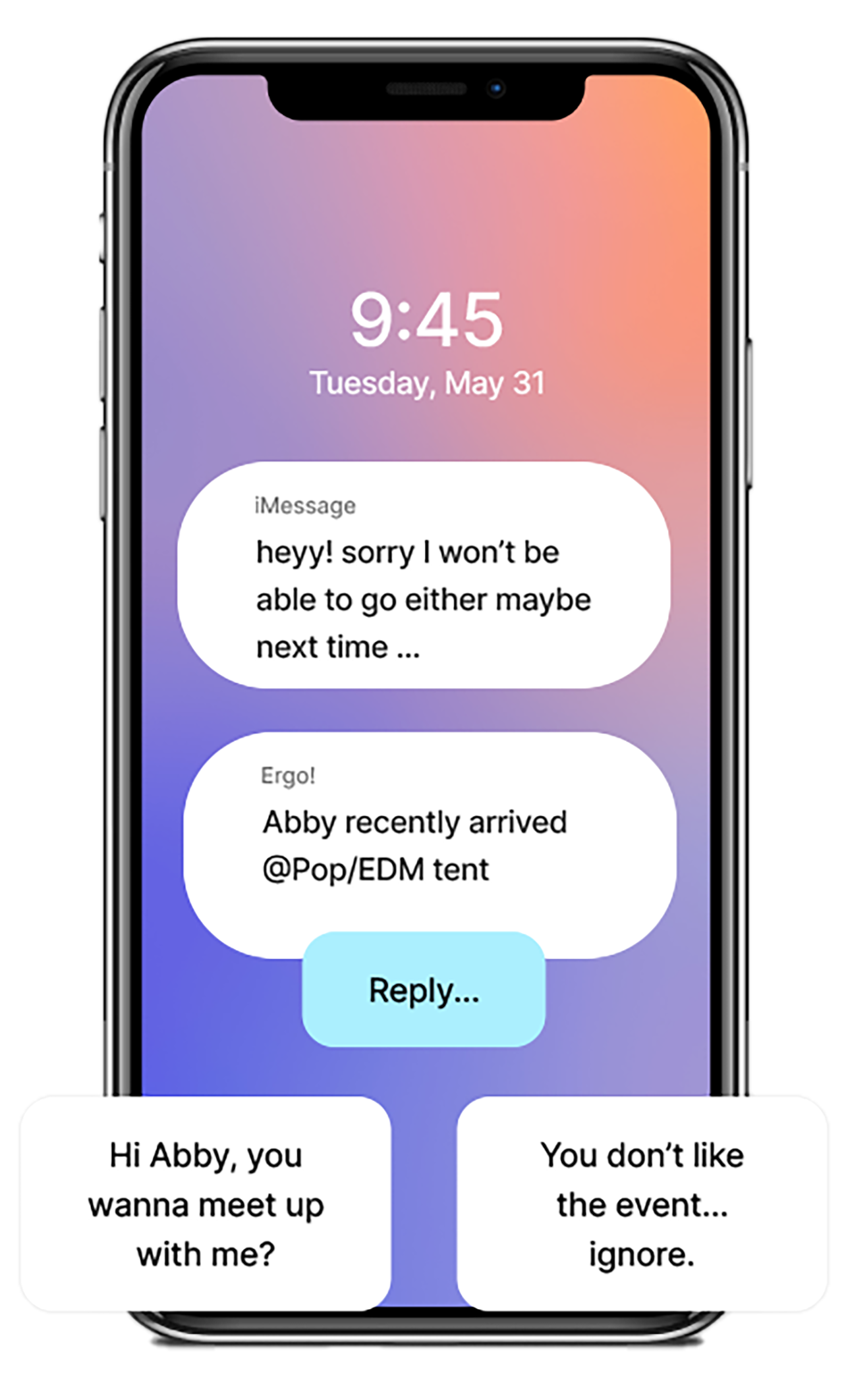
Participants mimic being at an event and choose their own path there.
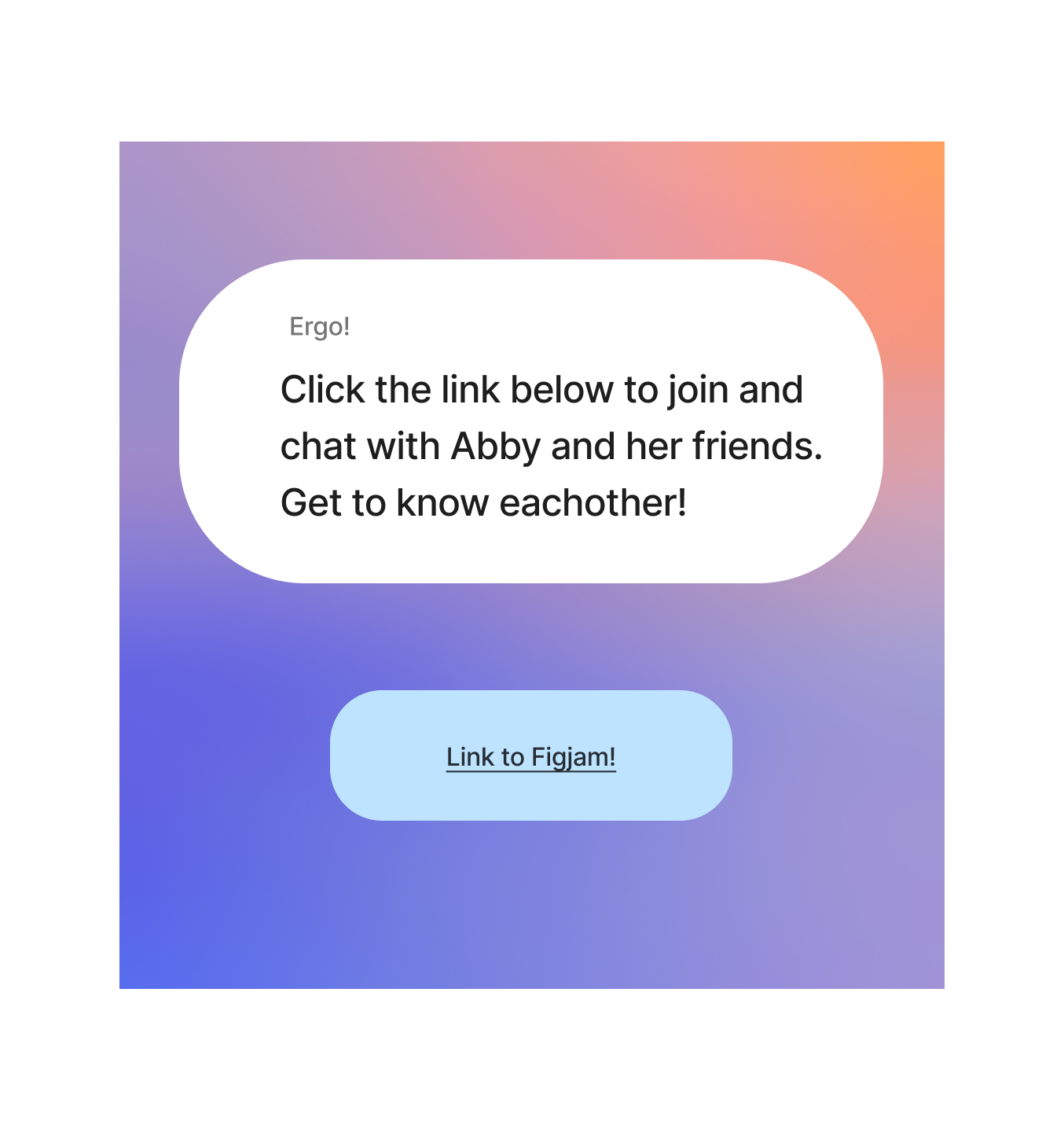
After choosing what to do at the event, they could meet up with people in a Figjam chat.
Final Prototype
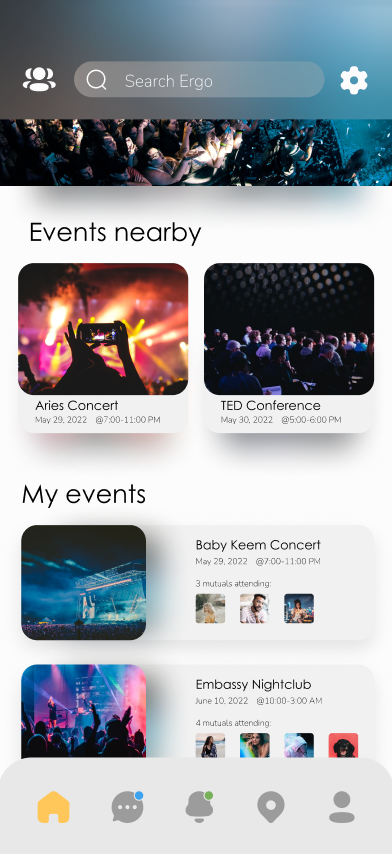
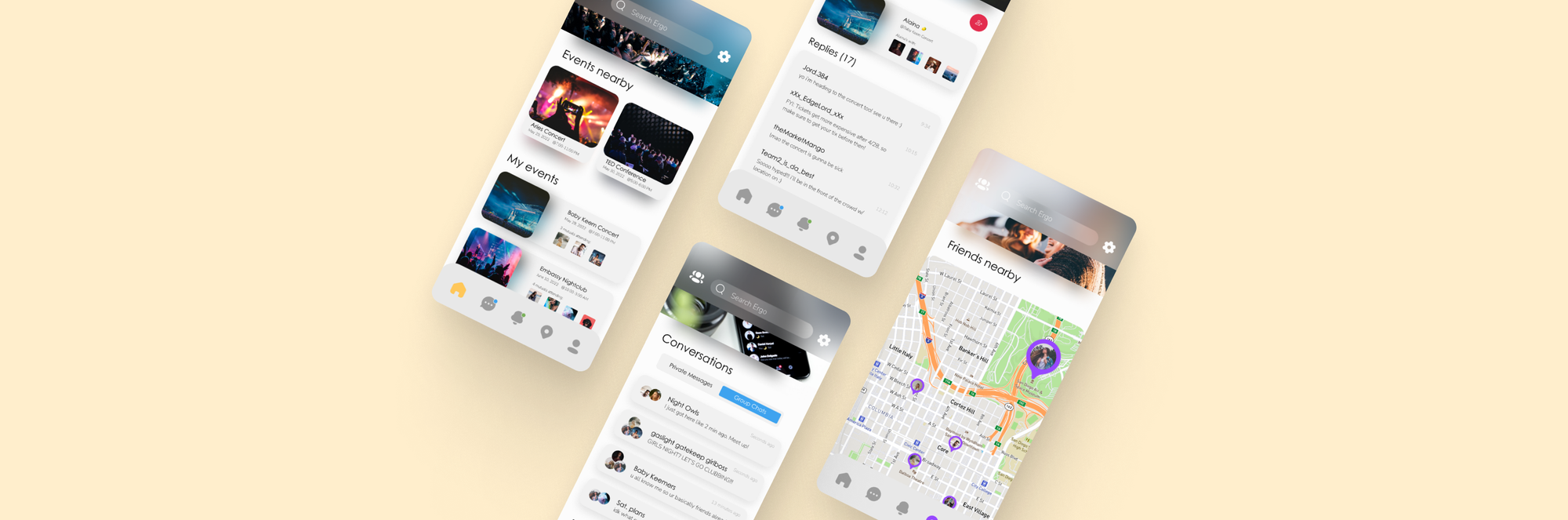
Home Screen:
Users can view upcoming events nearby and plan and book events Within these user's events, they can view other friends who are also attending.
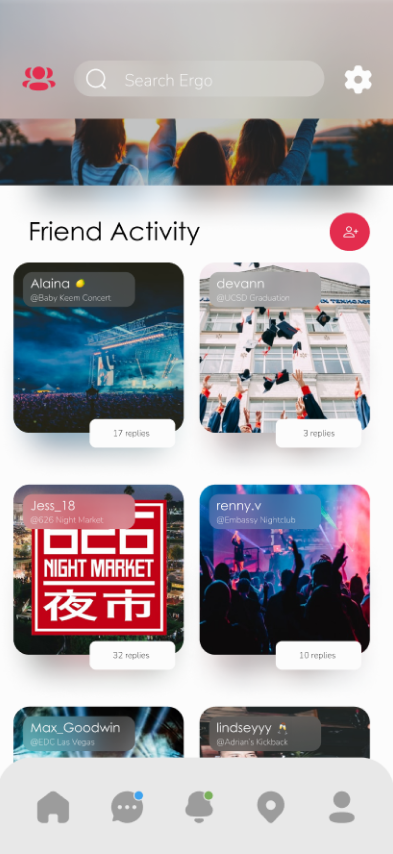
Friend Activity:
Users can see the events their friends are at or planning to attend. Users can view their strong ties, but also weak ties (friends-of-friends).
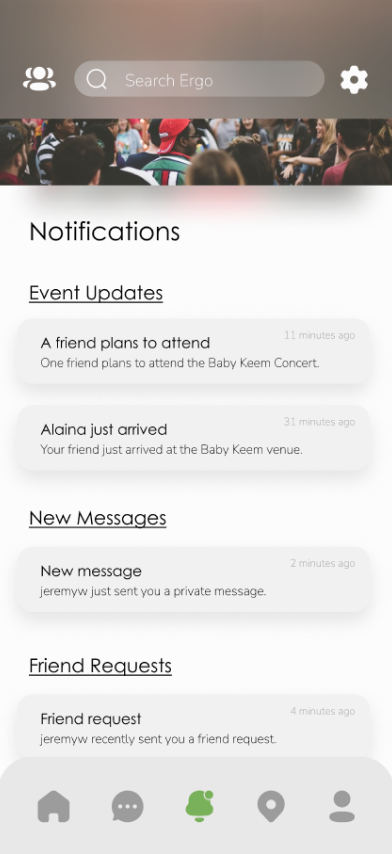
Notifications:
Users can see their notifications, such as event updates, where ERGO will notify a user about their friends planning events or someone's arrival at an event.
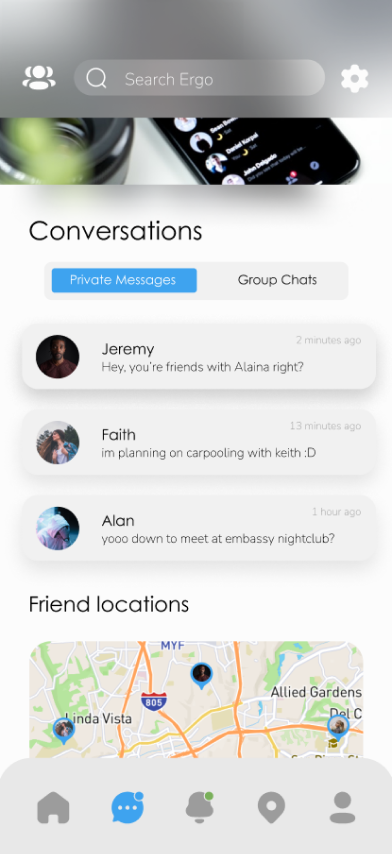
Private Messages:
Users can see their messages to people and the locations of friends you that you have recently just chatted with (if enabled).
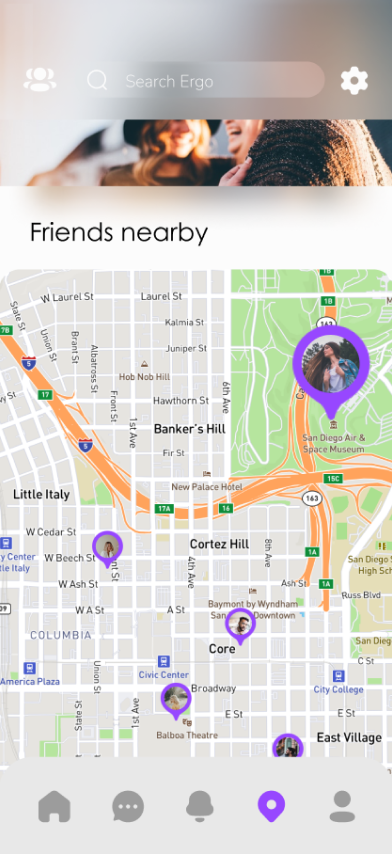
Friends Nearby:
The map displays the nearby locations of friends when they are currently at an event. This helps users locate one another at the same event.
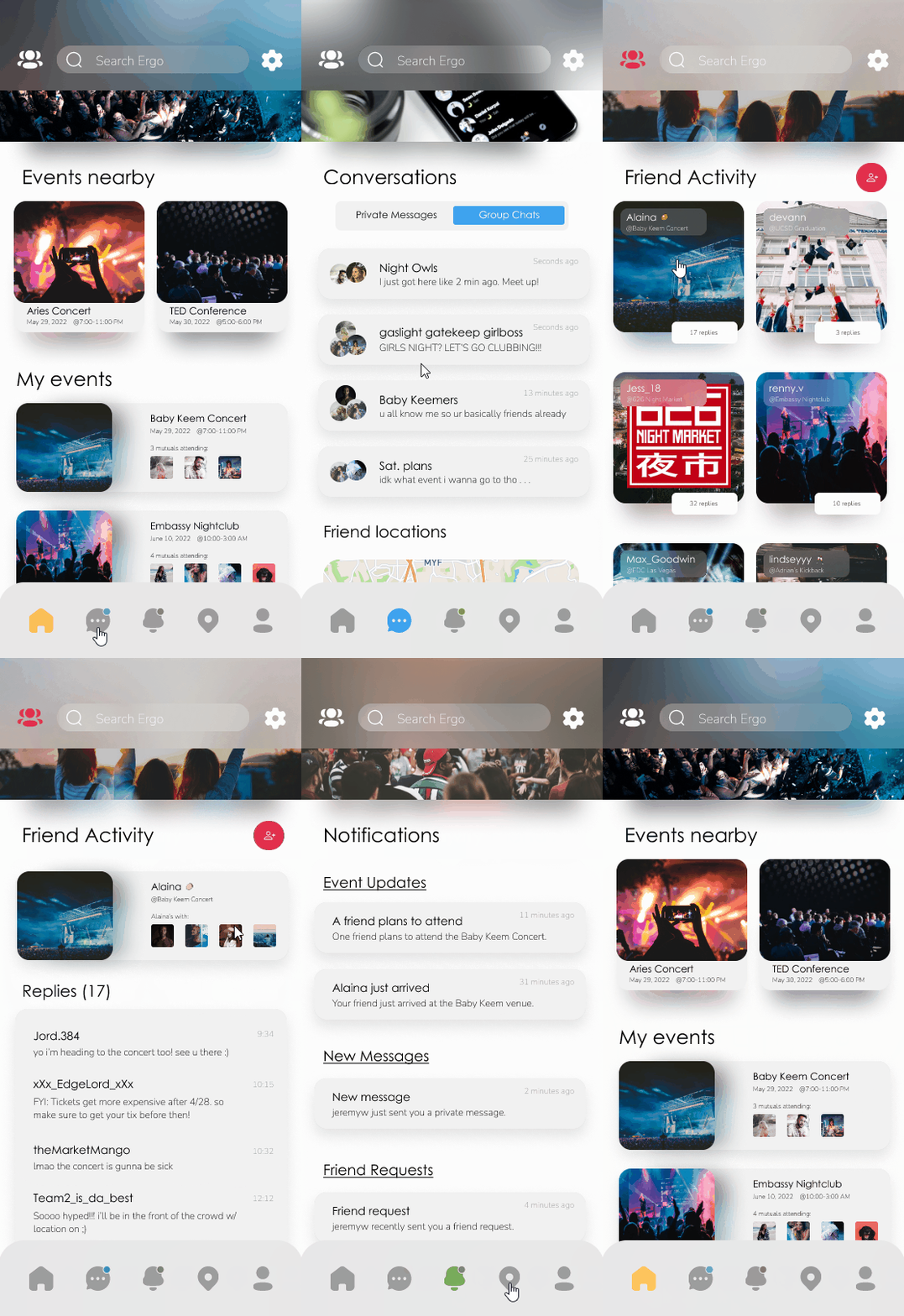
Clicking through each screen available in ERGO
Social Structures and Complexities
Through personal experiences and our team's research, we know finding common interests amongst people in the same social circles are expected features in many social media apps. For a music app, these include features like a friends list, liking and subscribing to artists, an explore page of artists and their upcoming events. Liking and sharing posts are also common amongst social media apps. In some applications, social tie strength can be measured through the use of these features, such as two people talking to each other.
The mix of friends list and in person events will naturally lead mutual friends to be in the same vicinity of each other. By creating that small spark that leads towards them knowing of each other's presence within an event, it leads to a natural meet up rather than forcing yourself to go out of your way to meet new people.
Thank you to my teammates!
My contributions:
- Conducted part of the literature search on location based services
- Pitched preliminary ideas based on survey data
- Created prototype and further iterations
- Designed final prototype
- Worked on final presentation slides